

Keyboards are essential in our daily lives. Most users position their left hand on the keyboard while using their right hand for the mouse.
But complex software like Photoshop and KiCad often demand intricate shortcuts that span the entire keyboard. This makes one-handed operation difficult and often requires both hands, disrupting workflow and efficiency.
For the issues mentioned above, there are already some professional and mature solutions on the market, such as products from 3Dconnexion. Their products are ergonomically designed but come at a higher price. For example, the SpaceMouse is listed on its official website for $399. In contrast, the HID keyboard function of Rimu comes as an accessory to the host and planned selling price is priced $110.Its compact design fits perfectly above the left side of your keyboard, making quick screen interactions effortless.If you are not a heavy user of keyboard devices, Rimu can fully meet your needs.
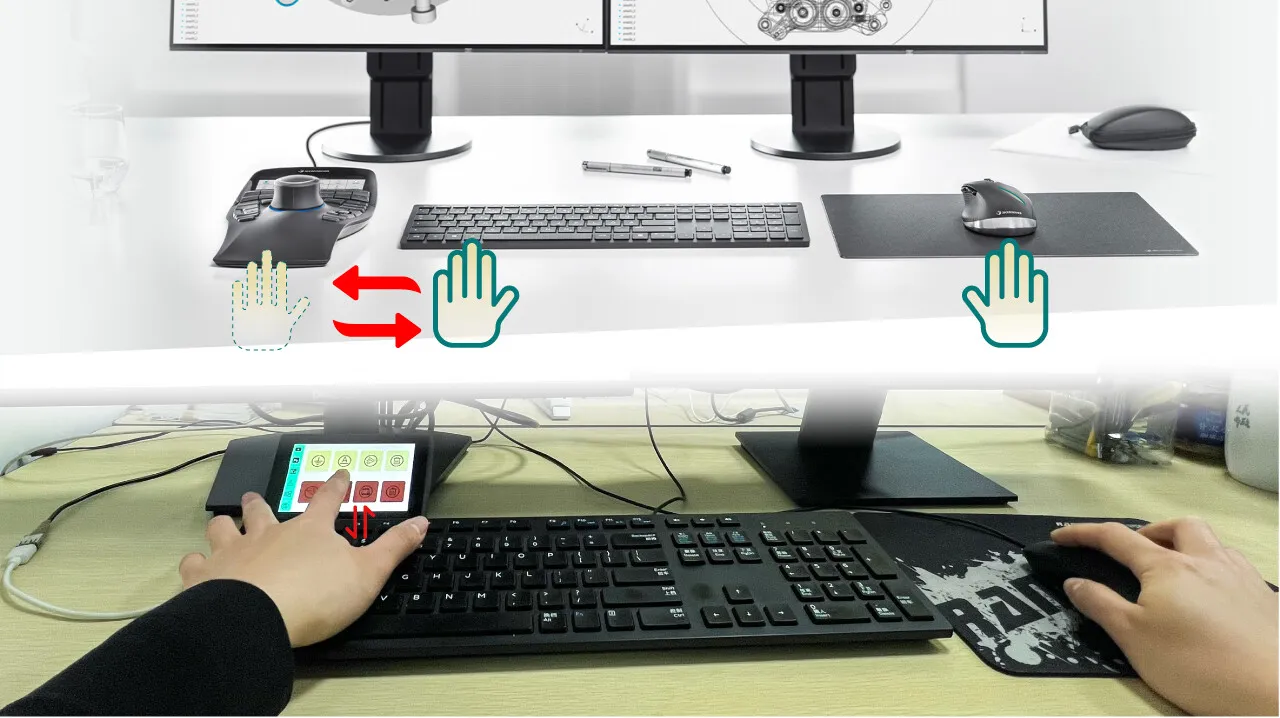
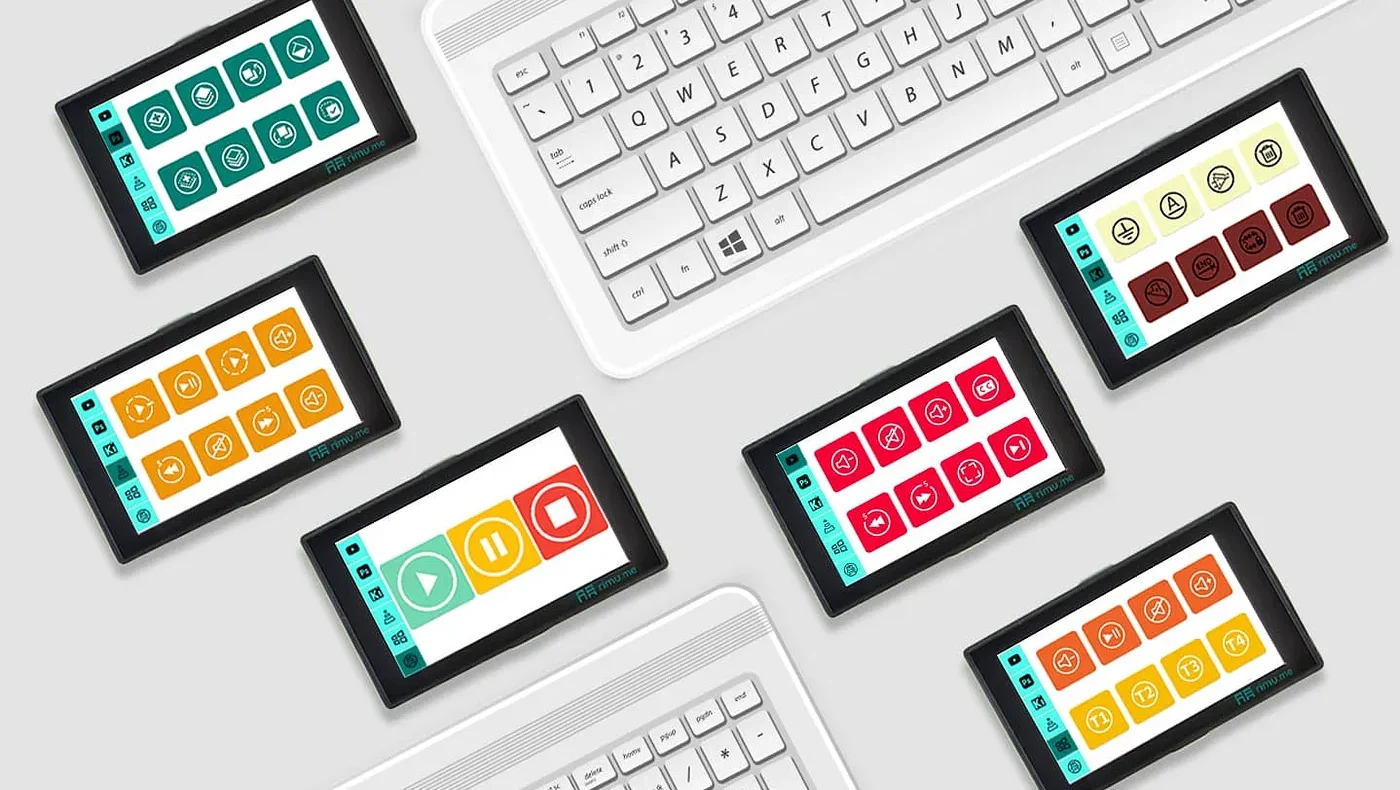
Rimu utilizes the ESP32-S3 as its main controller, enabling HID keyboard functionality. We have consolidated shortcuts that typically require both hands onto a 4.3-inch touchscreen, allowing for single-handed operation. Users can customize specific shortcuts according to their needs. Currently, Rimu comes preloaded with six apps tailored for KiCad, Photoshop, Bulk Entry, CNC, YouTube, and VLC.
Here is a video showcasing our HID Keyboard function on the YouTube platform.
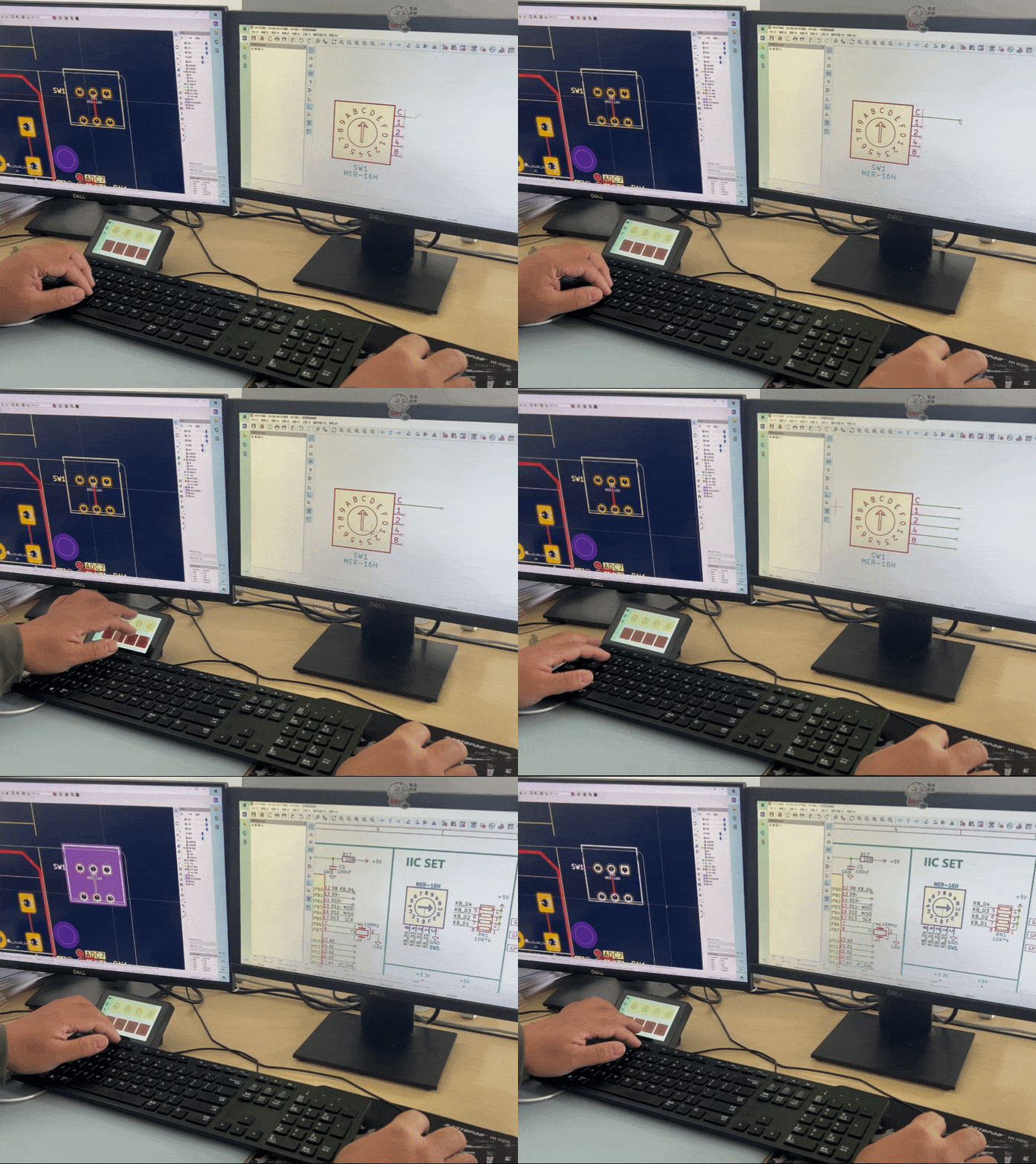
Our hardware engineers often find themselves with their left hand on the keyboard and their right hand on the mouse while designing PCBs in KiCad. However, when a shortcut requires more key presses than their left hand can handle, they have to let go of the mouse to complete the operation. For example:
Shortcuts in the PCB environment:
Shortcuts in the schematic environment:
Our engineers have found the enhanced KiCad shortcut functionality of Rimu incredibly practical, significantly improving their workflow efficiency and delivering a smoother user experience.
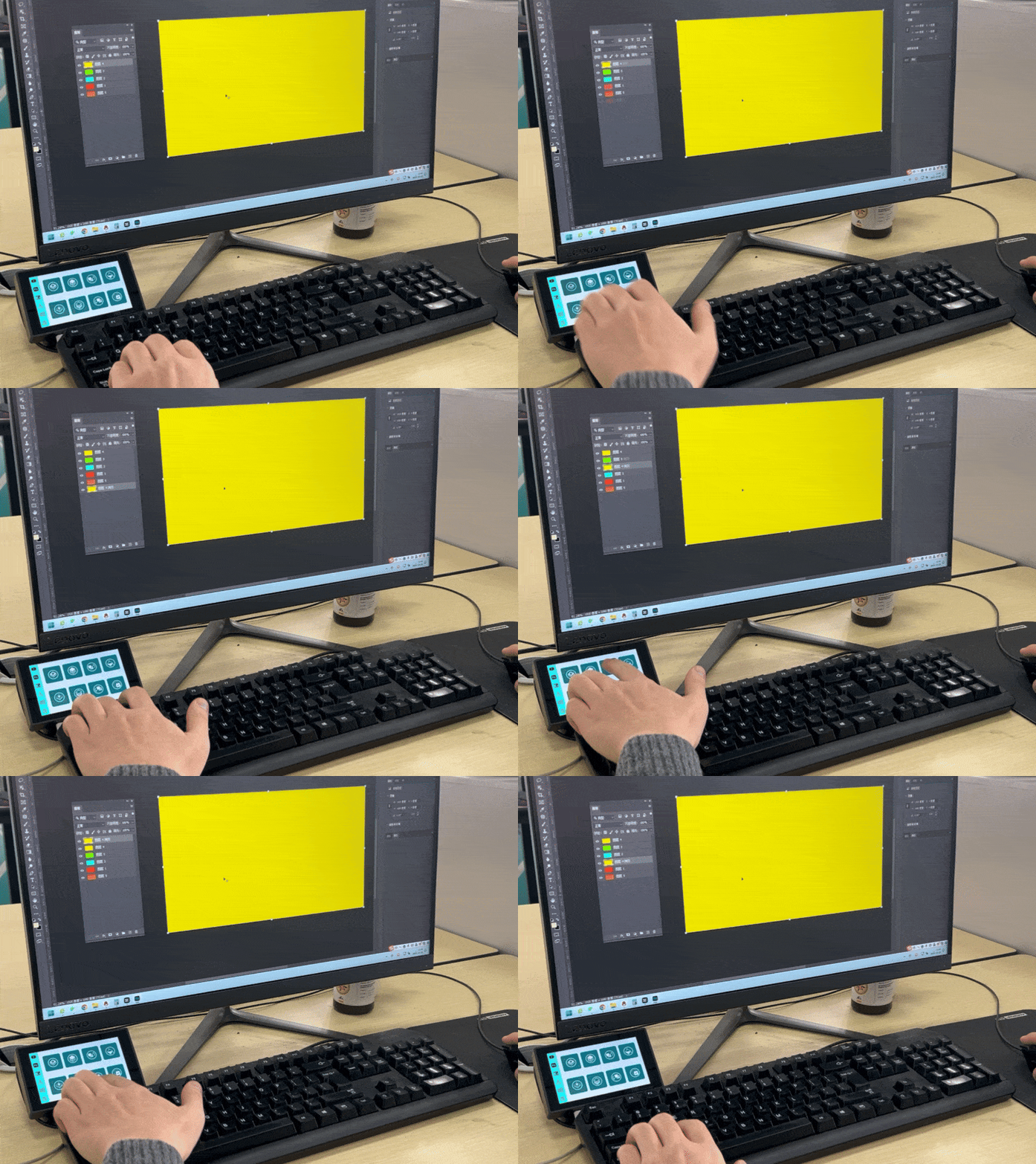
Photoshop is a powerful image editing tool that offers a wide range of shortcut features. Most users operate PS with their left hand on the keyboard and their right hand on the mouse. However, after discussing with our friends who frequently use PS, we discovered that some shortcut operations are not very convenient and often require both hands to complete. For example:
Tired of typing repetitive text or copy-pasting? Rimu’s custom bulk entry function allows you to insert long passages or fixed phrases with a single tap, boosting your efficiency in scenarios like messaging, documentation, or comments.
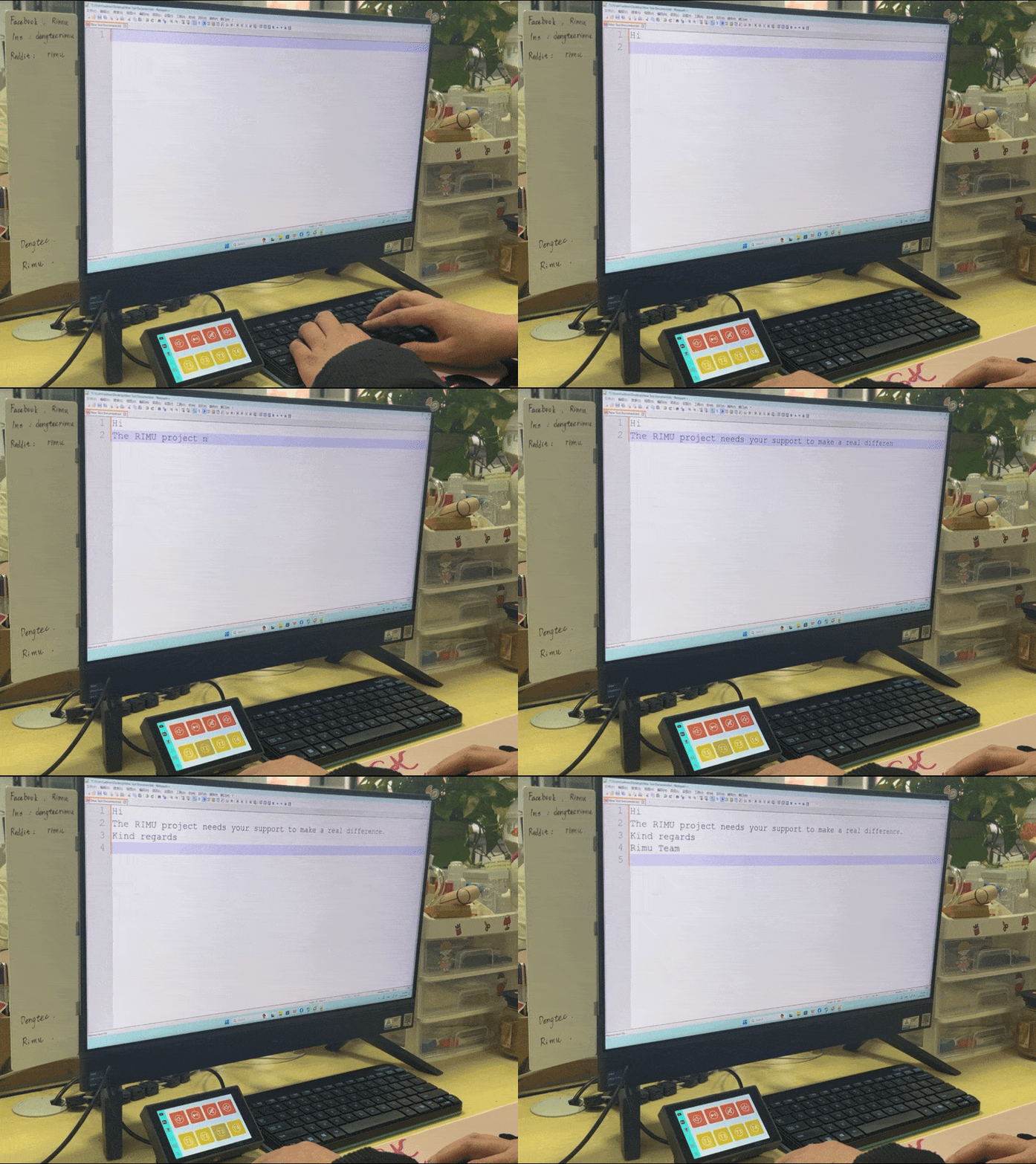
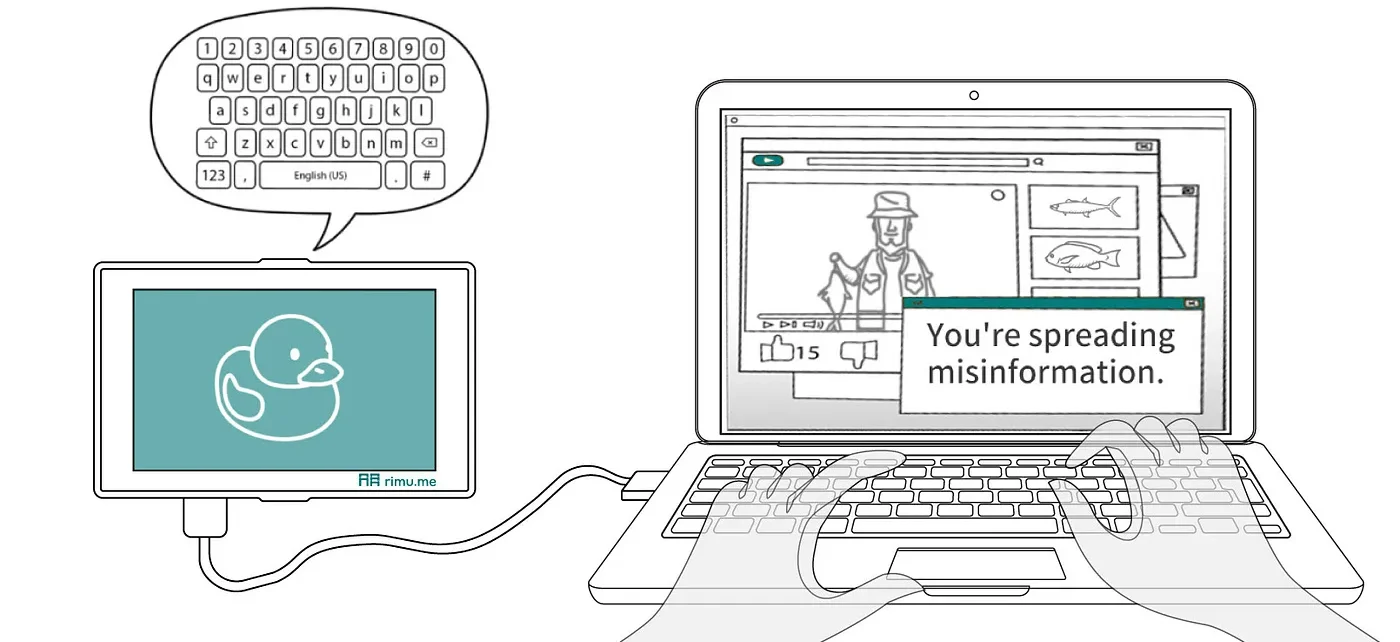
While Rimu is capable of performing all Bad USB functions, our primary focus is on helping users improve efficiency in daily life. After the product is released, we will open-source the code and provide comprehensive tutorials, enabling enthusiasts and geeks interested in Bad USB functionalities to get started quickly.
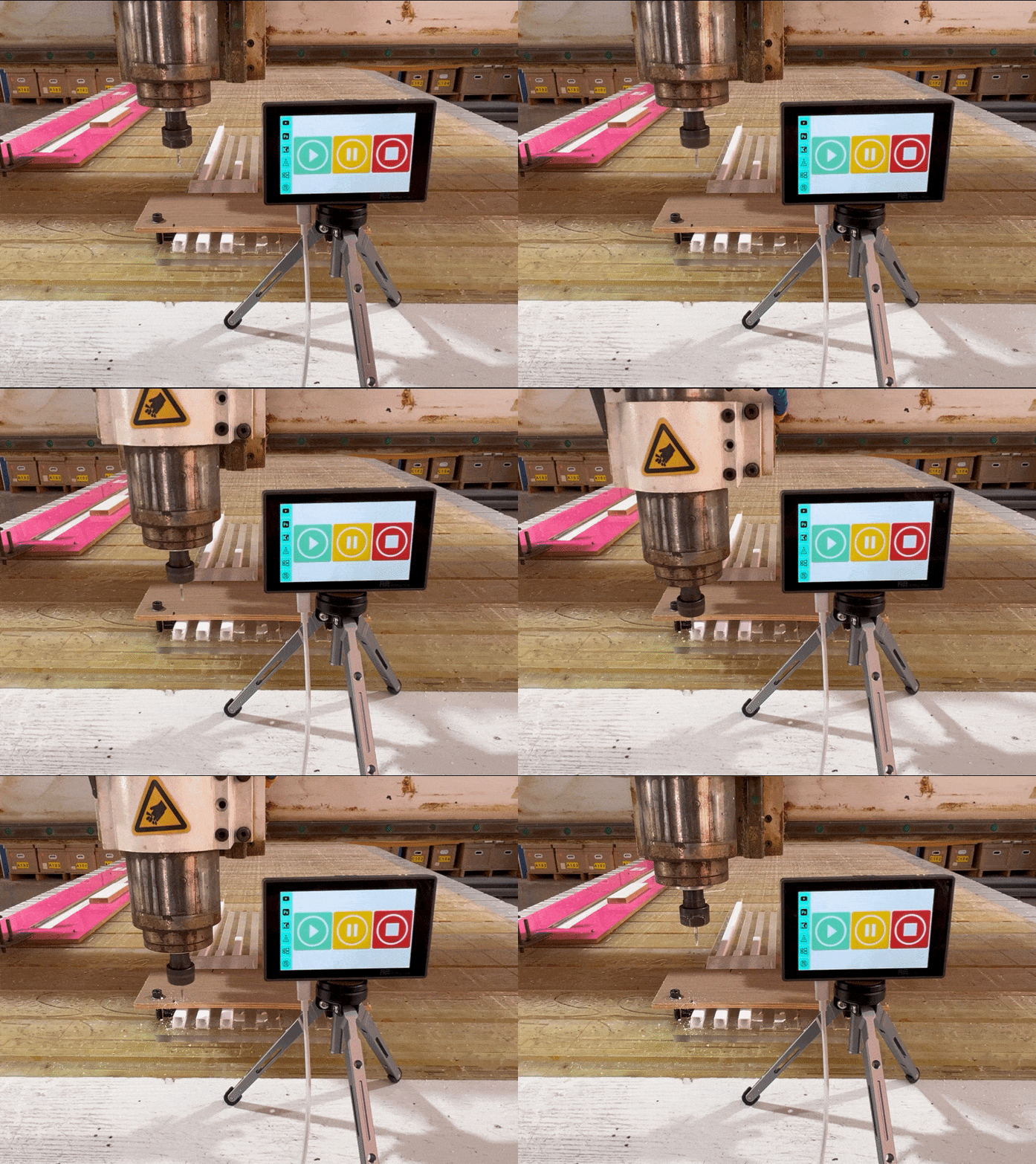
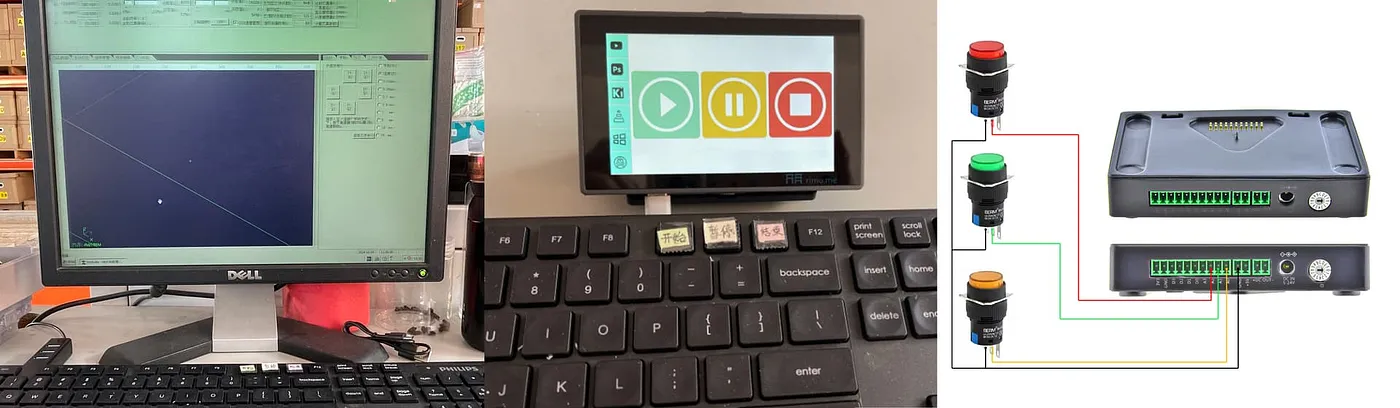
In mass production environments, many machines rely on software controlled by mouse or keyboard. However, the compact nature of keyboards increases the risk of accidental key presses, potentially leading to safety hazards. To mitigate this risk, we implemented prominent labels on the control keys of our CNC machines.
Based on this need, Rimu streamlines CNC operations with just three intuitive buttons — Start, Pause, and Stop. This design prevents accidental presses and ensures easy operation, even for illiterate workers.
In the future, we plan to use Rimu’s IO expansion module to enable physical buttons to trigger commands, allowing Rimu to adapt to more use cases.
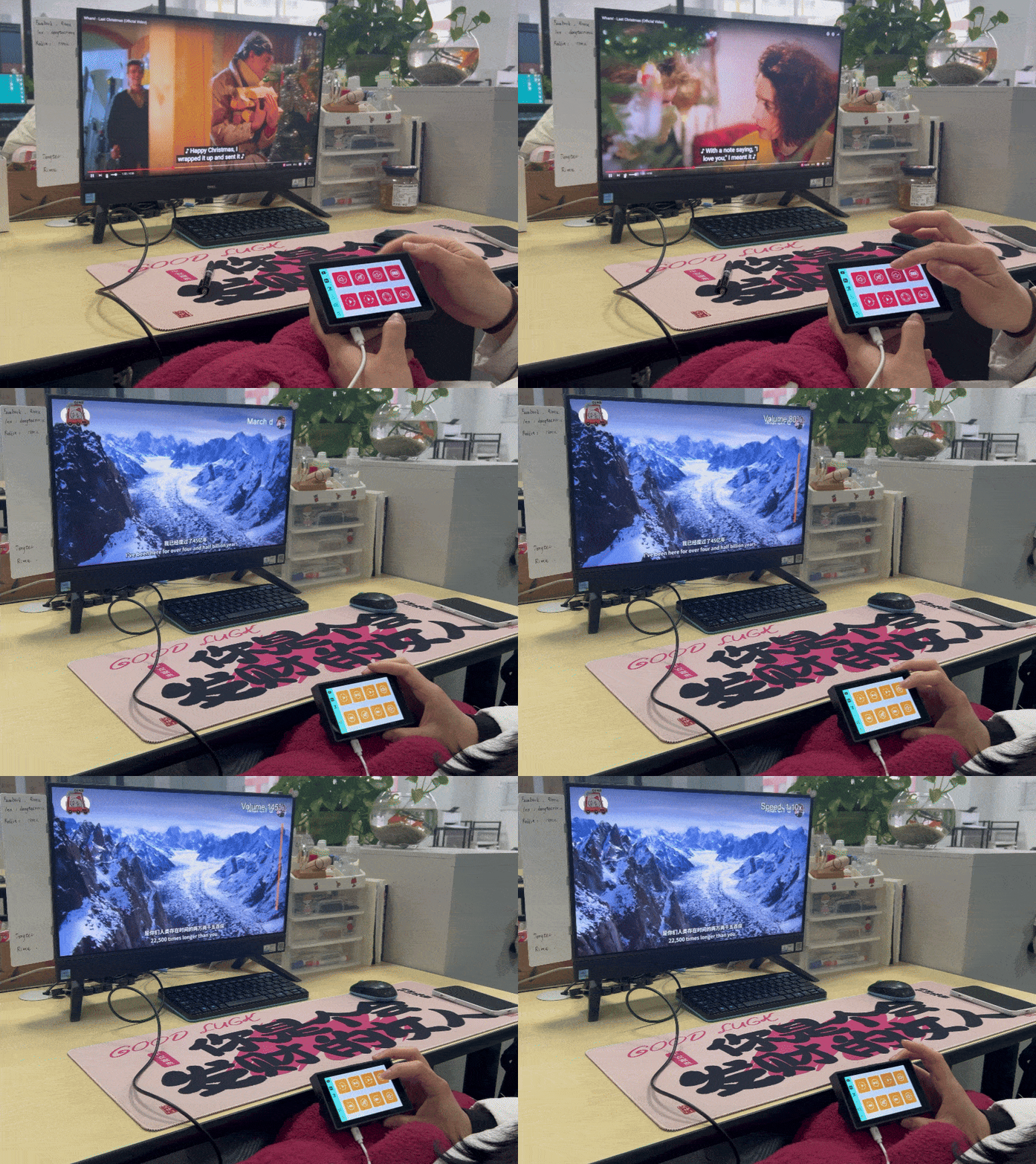
Watching videos on YouTube or VLC should be relaxing, not a hassle. Particularly you want to relax in bed or recline in a chair to watch videos but feel inconvenienced because you d on’t want to get up to find a mouse or keyboard, it can be quite uncomfortable.Fumbling for a mouse or keyboard to pause, adjust volume, or switch to fullscreen can ruin the experience.
With Rimu, all the essential control at your fingertips. Say goodbye to interruptions and enjoy seamless, effortless viewing comfort like never before.
This is the second article in our series, following the first which introduced the overall design and structure of RIMU. As our inaugural blog post, we’re also sharing it on Medium and Instructables in multiple languages, We also update another article for the keyboard function of RIMU.
If you have any questions, please feel free to leave us a message or join our community for discussion.